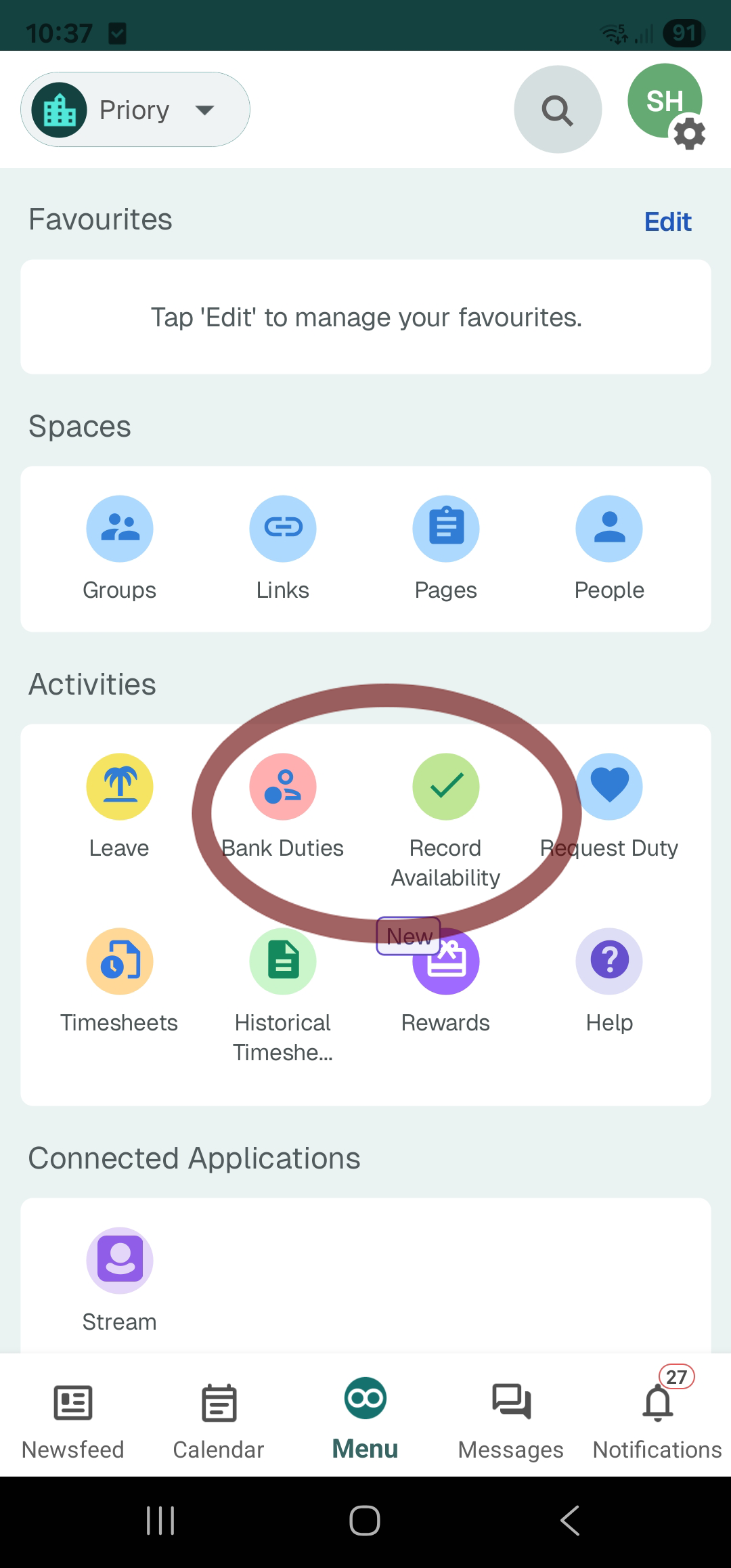
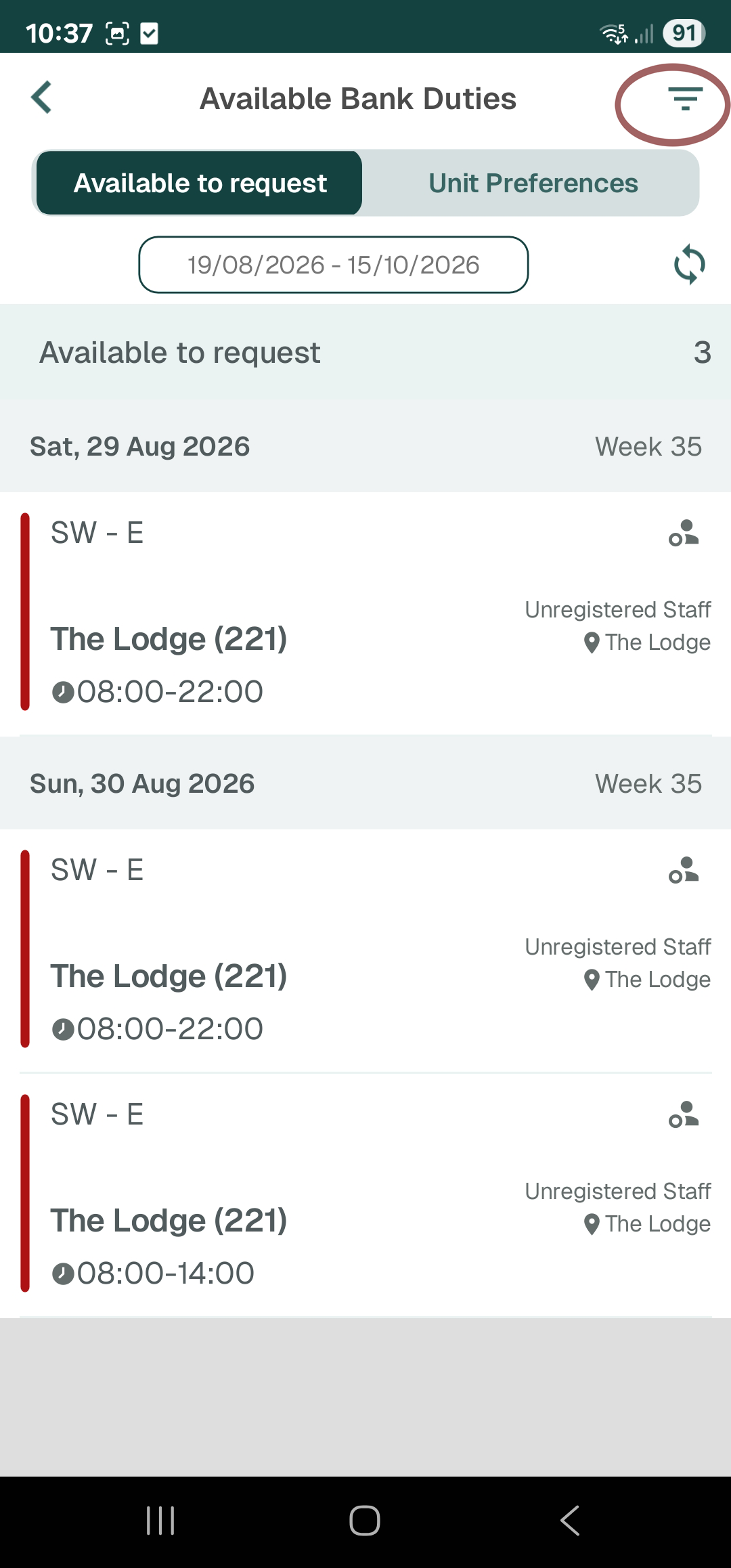
Step 2 — You will now see any available shifts to request. You will only see shifts that
don't clash with ones you are currently working. If you dont see shifts and others do, use the alternative chart
on this website. Click the circled icon to change filters.
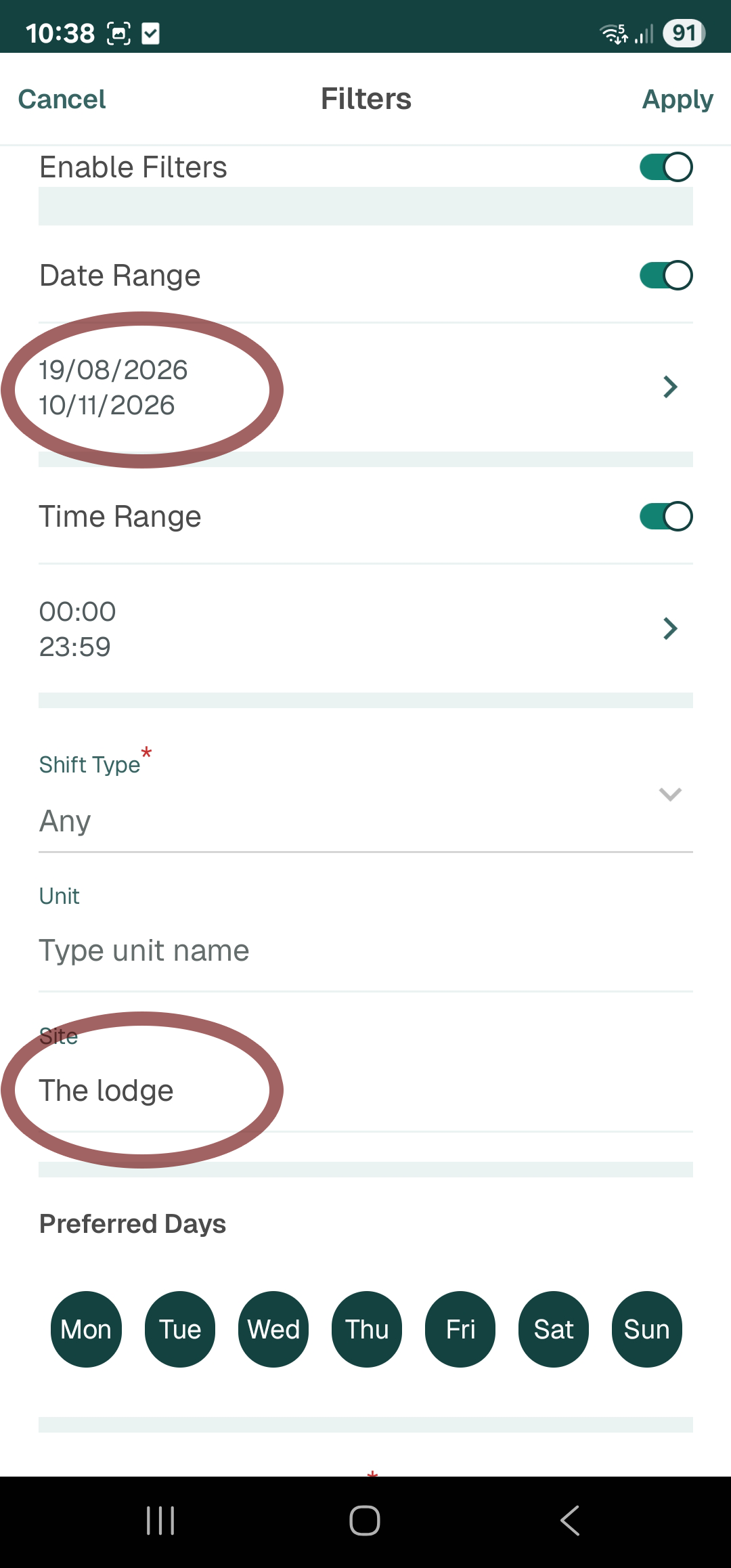
Step 3 — By default, loop shows shifts for every Priory site in the country so you must use filters. Change the date range and Site name to correspond to The Lodge.
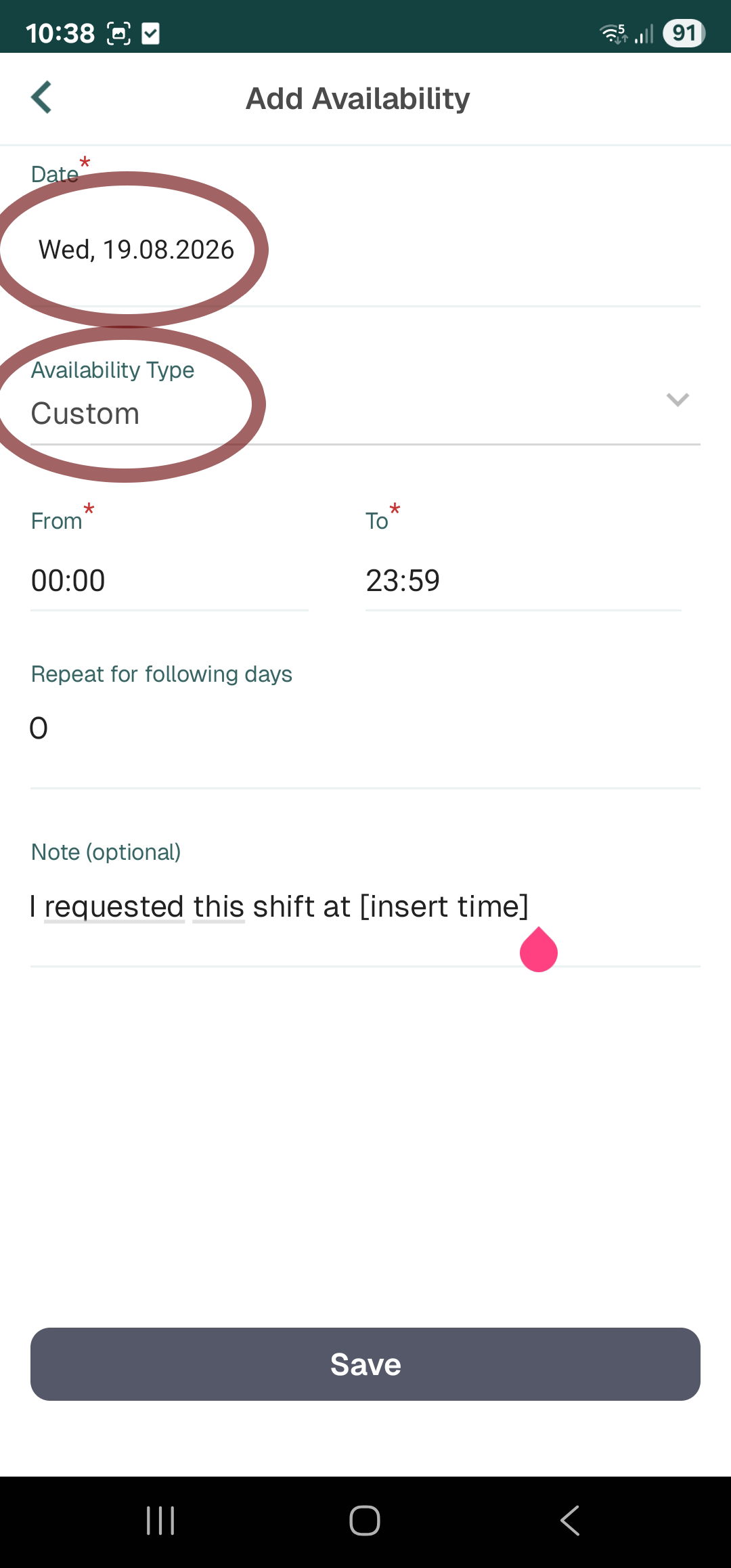
Step 4 — Memorise the shift you want, then go back to the main page and select 'Record availability' to get to the screen shown in the image above. You must select 'Custom' to be able to change
the times. Please also include a note stating what time you are requesting this shift, so we can do first come first serve. After you click Save, office staff will see a Green bar in Optima, indicating that you want this shift, and we will allocate accordingly.